Install ChatterPilot
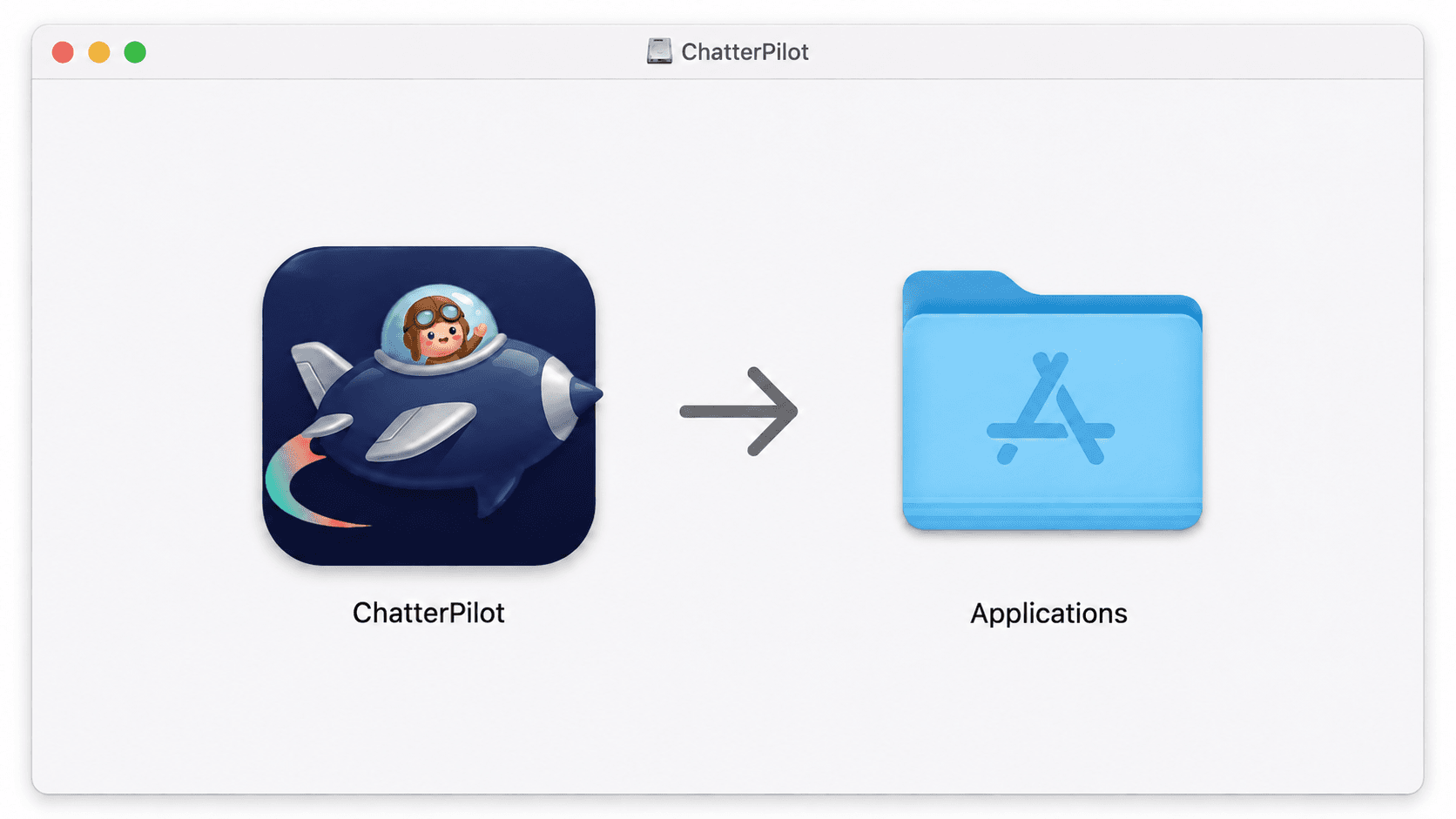
Open the file. Drag ChatterPilot into Applications.
Updating? Quit ChatterPilot first, then replace the app. Keep your existing app data.
 ChatterPilot
Preparing your download…
Open the file. Drag ChatterPilot into Applications.
Updating? Quit ChatterPilot first, then replace the app. Keep your existing app data.
Open ChatterPilot from Applications. If macOS blocks it:
ChatterPilot is unsigned and isn’t checked by Apple. Only open a download you trust.
Open Privacy & SecurityScroll to Security. Choose Open Anyway, then confirm Open.
If macOS warns of damage or malware, stop.
No Open Anyway? Try opening ChatterPilot from Applications first.
On a work or school Mac, ask your administrator.
Read Apple’s safety advice ↗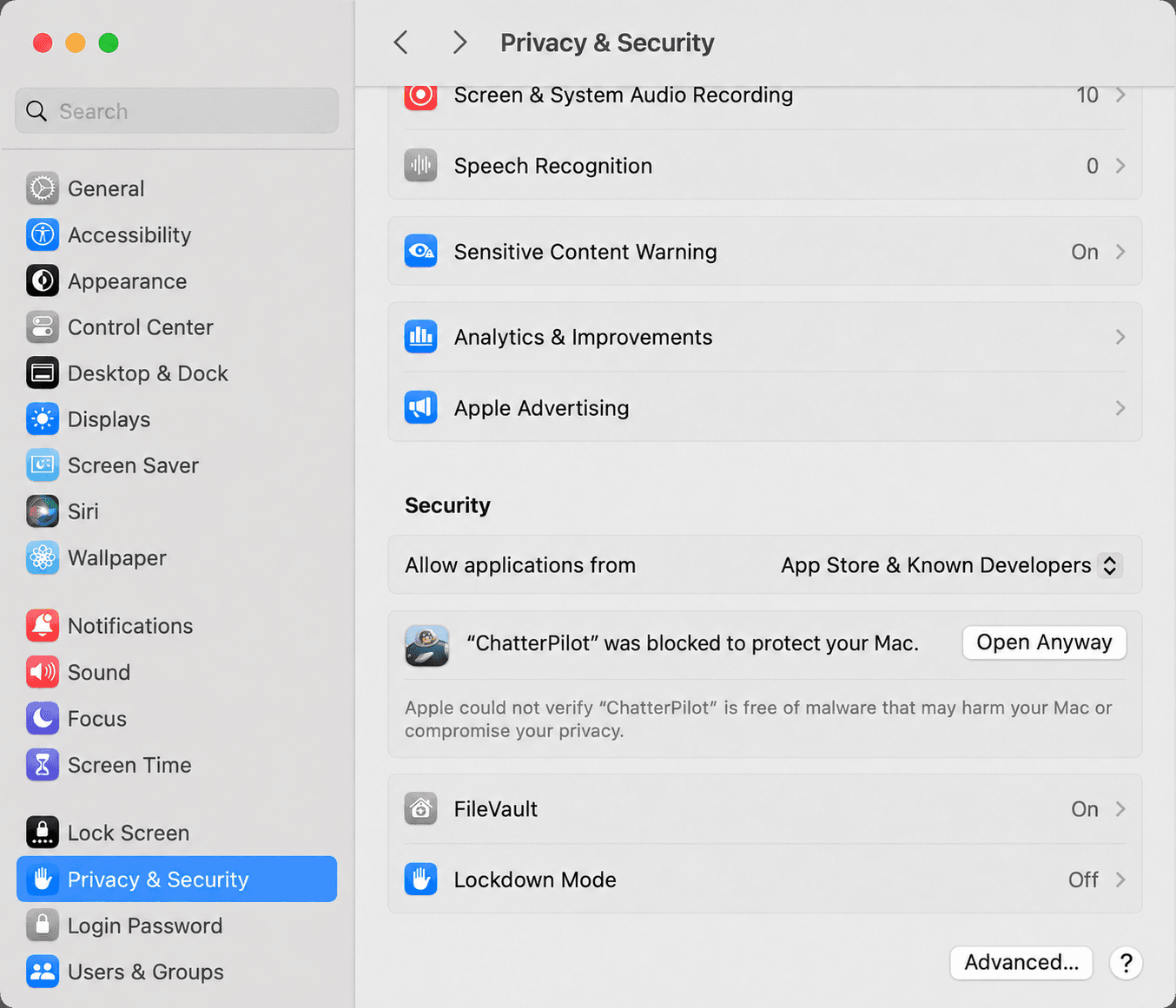
Once ChatterPilot opens, sign in and choose Set up now.